Coming soon
Helix.
The visual editor for Minecraft: Bedrock Edition JSON UI. Design server menus by dragging, not by writing JSON, and let AI do the heavy lifting.
Get Helix · coming soon
Hear first on Discord
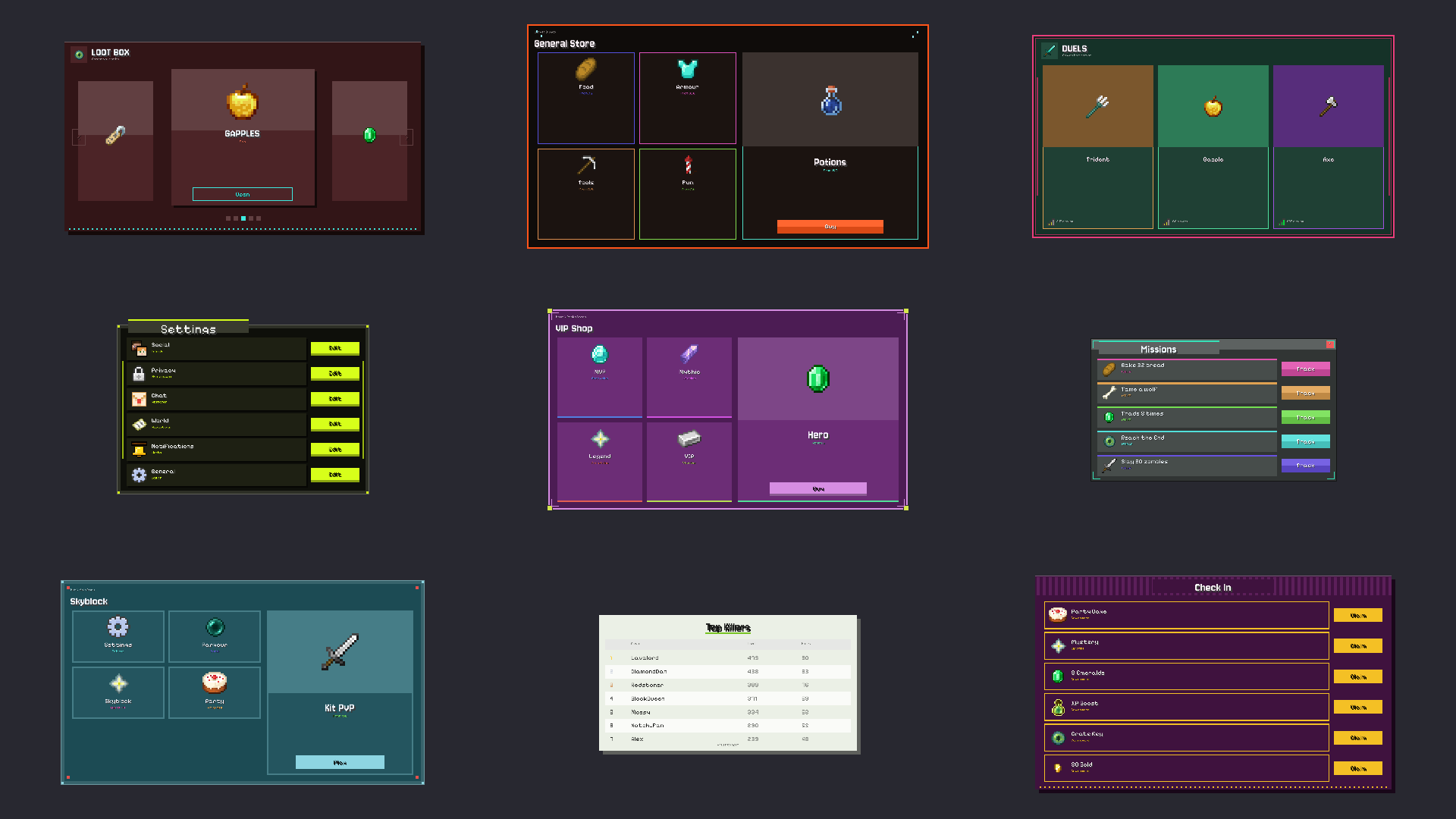
The visual editor for Minecraft: Bedrock Edition JSON UI. Design server menus by dragging, not by writing JSON, and let AI do the heavy lifting.
What it does
Helix draws your Bedrock UI exactly like the game, live, while you edit. When it looks right, download a pack that works.
Move, resize and restyle any part of a screen. Undo everything. No JSON needed.
100 kinds of design, from chest UIs and duels to shops, scoreboards and loading screens, each with hundreds of different looks.
Connect Claude or another AI and it builds menus right in your editor. Ready-made prompts included.
Hook buttons up to game logic, show live player stats, and add click sounds.
Download a .mcpack or .mcaddon that drops straight into your world or server.
Helix updates itself, and new designs arrive without you doing a thing.
Downloads
The Helix UI Gallery: 5 designs from each of 100 categories, made in Helix. Each one comes with a picture of how it looks and is its own .mcaddon that imports into Minecraft with a double-click. Menus open with a compass, and HUD designs show on their own.
Shops, duels, kits, quests, warps, crates, scoreboards, hotbars, loading screens and more, each with a preview picture. Zip, 14 MB.
Pricing
Final prices are being decided. Join the Discord to hear about launch and early-supporter deals.
Questions
A Windows PC with an internet connection. A Mac version is on the way.
Helix makes standard Bedrock resource packs, so they work in any world, Realm or server that loads packs.
No. Helix is made so you never have to open a JSON file, though you can if you like.
Yes. At launch, full refunds within 14 days of your first payment. See the terms, privacy and refunds.